*This post contains affiliate links.
First, there is no industry-standard format for writing a comic or graphic novel script.
When I first learned this, I admit I had a moment of paralysis. Without a standard format, I wasn’t sure where to begin. I did find examples I could follow, and I clung to that for my first graphic novel script. Now I have a format I like that I encourage writers to use so we can adopt a standard for full scripts.
However, after some practice, I understand some reasons why we don’t have an industry standard.
Teamwork
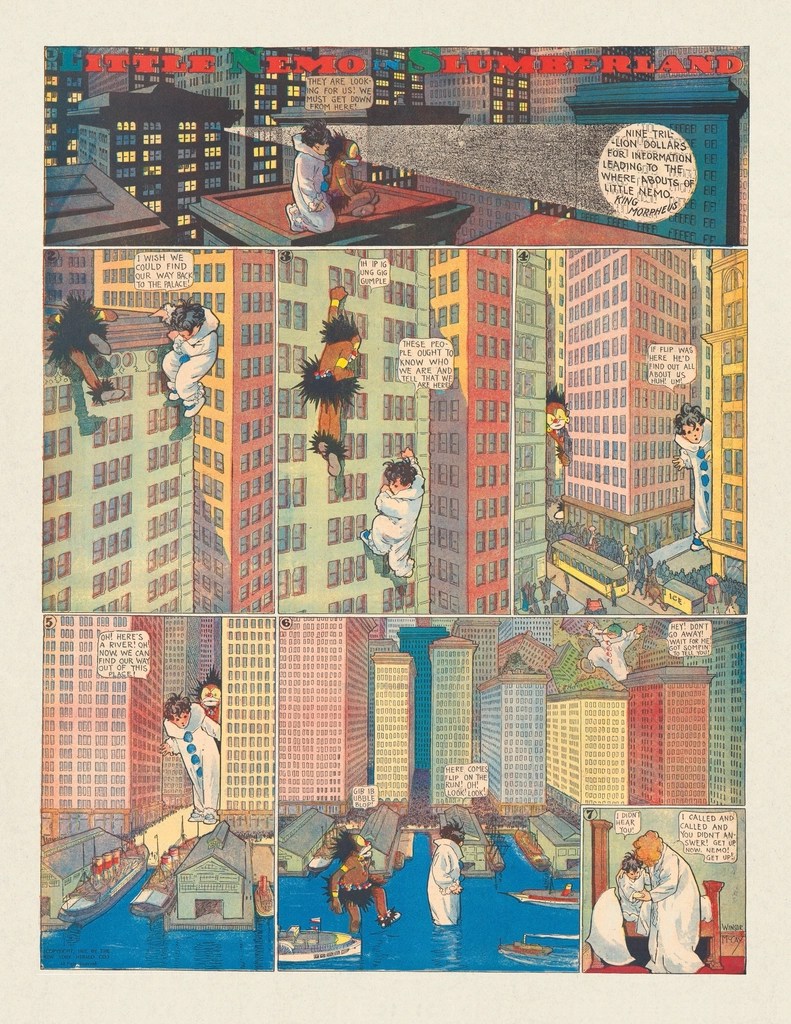
In the comic book industry, creative teams work together to create each issue. This means they develop their own workflow. They often come together at the beginning and brainstorm together. They might decide the plot as a team. The writer sends them an outline, and the rest of the creative team gives their input. Then the writer drafts the script.
At this point, if the team is well-established, the writer might write up the script in paragraph form, simply describing what is happening on each page and a general idea of what needs to be said. This kind of script is known as the plot-first method, or the Marvel Method.
The penciller then has the creative freedom to create the panel layout based on the script and what they talked about as a team. After the roughs, they discuss changes, and when the art is done, the writer tailors the dialog to fit the panels. This can speed up the work significantly because it allows each team member to focus only on their strengths.
This kind of collaboration can happen in graphic novels, as well. But the writer may also want a bit more control over the project, in which case a full script may be more useful. Also, when writers are pitching their graphic novel projects, agents and editors may want to read the entire script. So it needs to read well.
If you’re curious about writing a graphic novel and wonder if it might be something you’d be interested in, I recommend you read my first post: 5 Exciting Reasons You Should Write Graphic Novels For Kids.
Writing Software
I like to write my manuscripts in Scrivener. There are other, similar programs out there you can explore. Personally, I love Scrivener and prefer it over Word because I can easily move chapters and scenes around without copy and paste. The split screen feature lets me see my outline or notes alongside my manuscript. I can also save each draft of my manuscript in folders within my project.
The backup feature can be configured to save separately so I can return to an older version if needed. And I have used that feature a couple times. I also very much appreciate that it is a one-time purchase. Updates included. No subscription. This has become a rare business model, and I miss it.
Using Scrivener for Graphic Novels
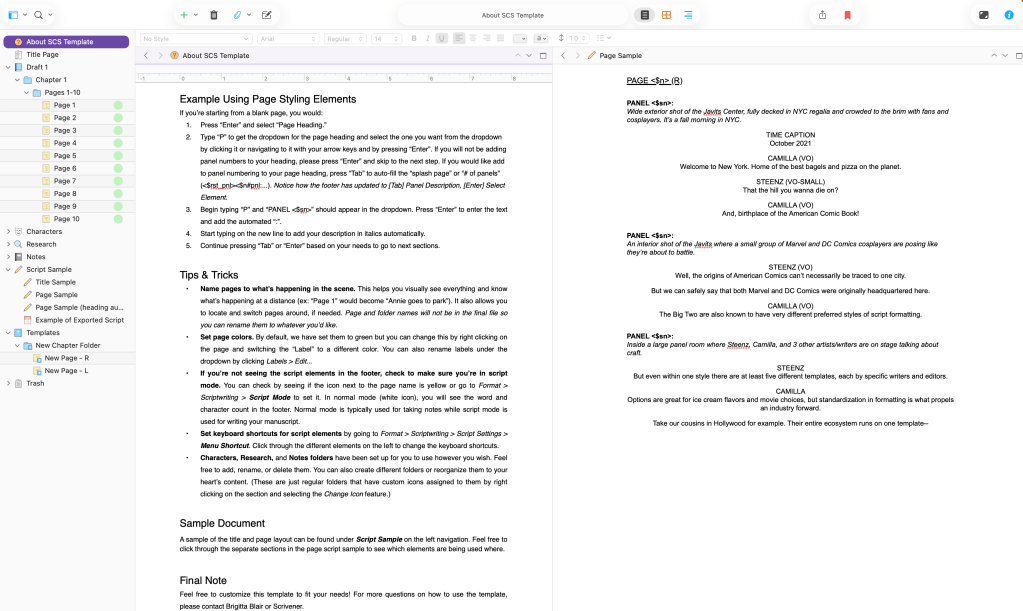
Scrivener comes with templates, but you can also upload or create new templates. For graphic novel scripts, I use the template created by Brigitta Blair, which uses the Standard Comic Script format developed by creators Camilla Zhang and Steenz.
The template comes with instruction and examples. The learning curve can be a little steep, so stay with it. I will create a video in the future so you can see the keystroke functionality in action. With practice, you will be able to write a script almost as quickly as a prose manuscript.
The template uses placeholders like “<$n>” which is a code for scrivener so when you export the file into a Word document or PDF, it will automatically insert the correct page number. This is useful because you do not want to manually change page numbers every time you rearrange scenes or pages.
Exporting
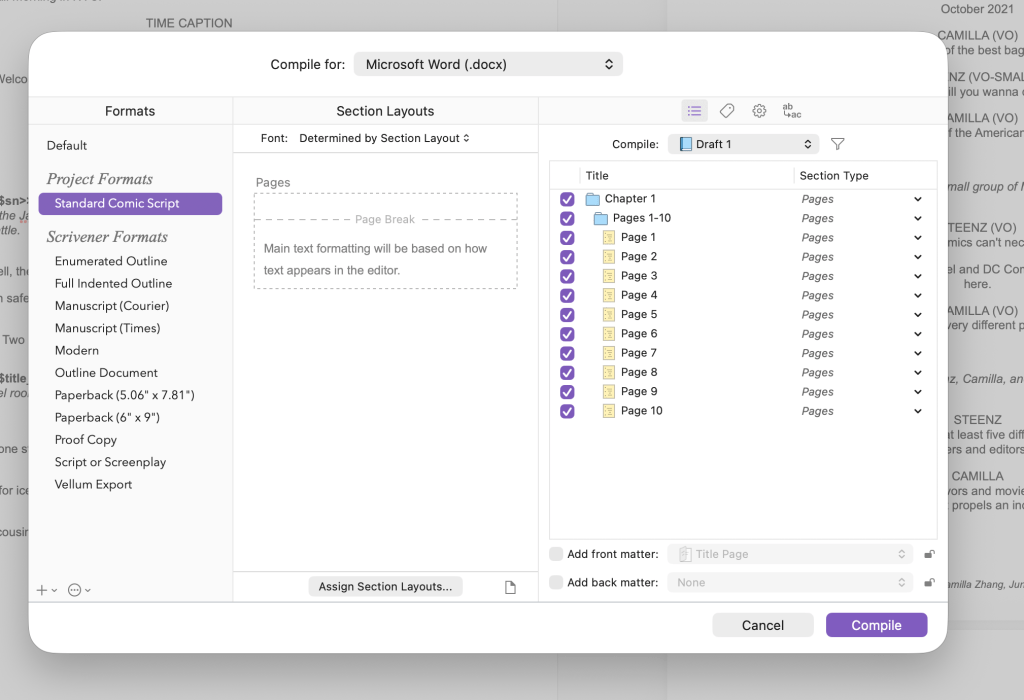
You can export your manuscript from Scrivener to a Word document or a PDF or even to ePUB. The exporting options are very flexible, but with so many options, it can get overwhelming.
The most important part of exporting is making sure you have all the files that you need. The following image shows the dialog box that appears after you click on the “compile for export” button.
Software for Collaboration
The only feature I would really like to see added to Scrivener is a better way to collaborate, but I’m not sure it’s feasible with the current structure.
Currently, the best option is to export the script to a Word document. Collaborating with Microsoft Word is simple. It lets you make comments and tracks changes so you can always deny a change or ignore a comment if you disagree.
Microsoft also has a cloud version where you and your team can see the document at the same time. Or, if you prefer to Google Docs for that, you can easily upload the .docx file and share it with your team.
The exported document does not come with the styles from Scrivener, though. So, I recommend you take a little time to create the styles in Word. And if you save the new styles as a style set, you can apply it to future documents. This will save time when you need to make edits.
Note that when I get feedback early on, I apply the edits to the Scrivener document. I only make changes to the Word document once the plot is set. I really don’t like moving big chunks of text around in Word.
Script Language
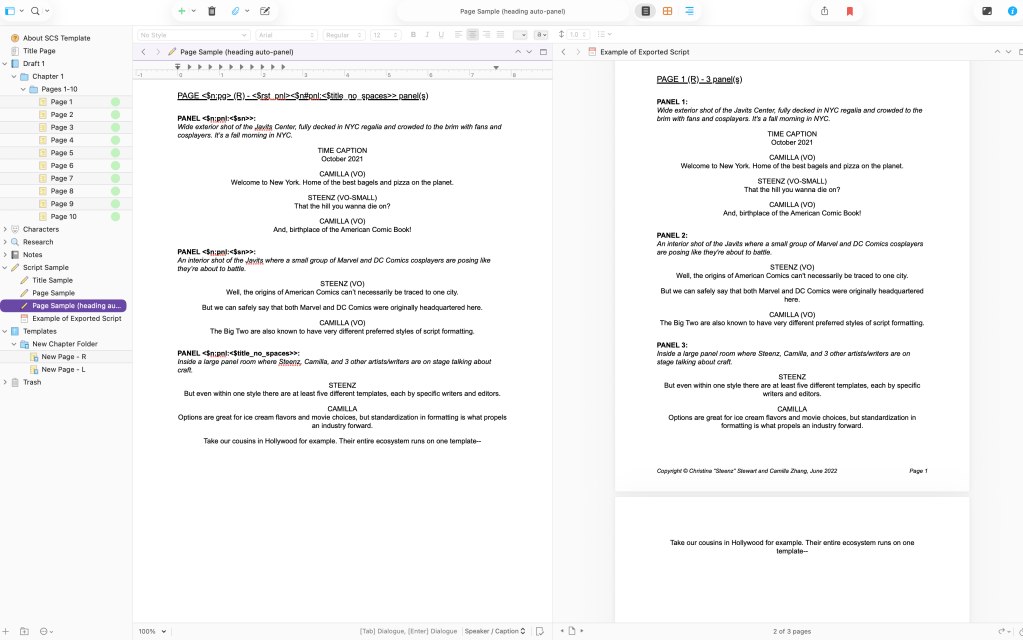
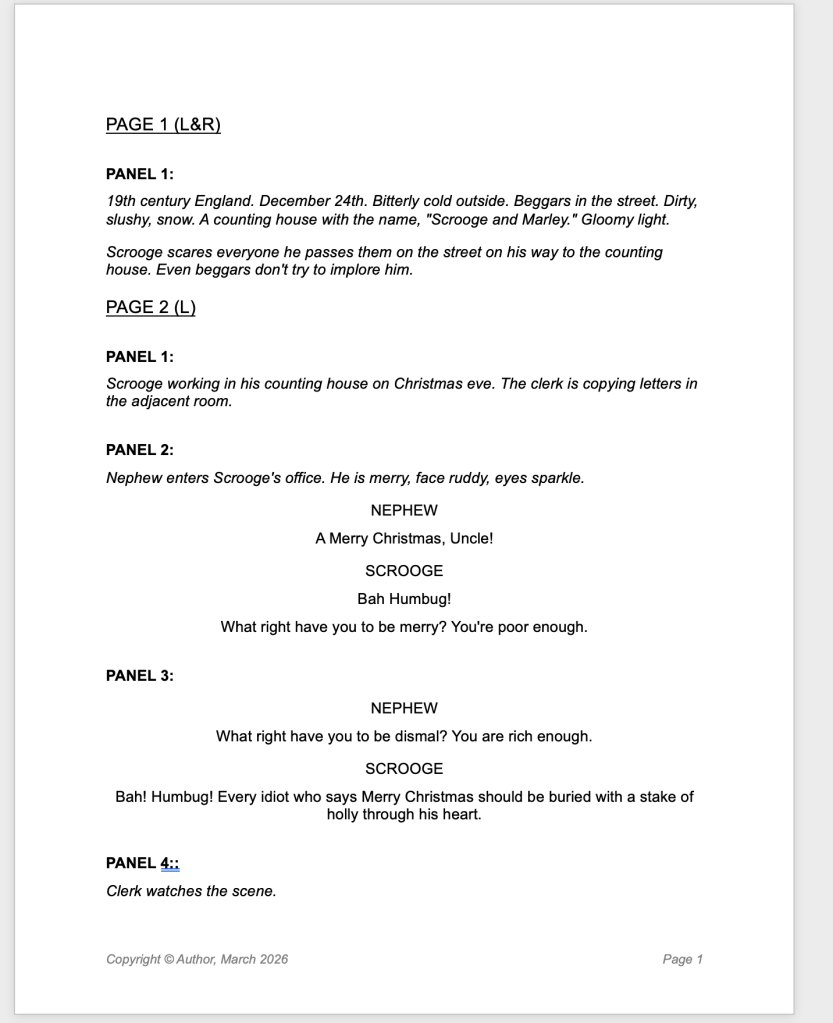
If you take a look at the sample script in the image below, you can see how a script reads very differently from a prose novel. It’s more like notes for the illustrator. But while there isn’t a universal format yet, the language used is pretty standard in the illustrating world.
So, let’s break it down.
We start with main headers for the pages and subheaders for the panels–pretty straightforward. The “(L&R)” indicate left and right page, so this is a double spread. You can also include information like how many panels are in the page and what characters are featured.
Under the panel header–in italics–is the description for the panel. This is where you write setting, time of day, action, and important emotional beat that needs to be shown through illustration.
Dialog is written under–or next to–a capitalized character name. You can shorten names after their whole name has been introduced once.
Some letterers (the person who does the layout for all the text) prefer the dialog be numbered. This helps them know how many bubbles and captions and sound effects they need to fit onto each panel.
Captions and sound effects are written the same way as other dialog, but instead of the character’s name, you write “CAPTION” or “SFX” (sound effects). If you need to specify who is speaking in the caption, you can write the character’s name next to “CAPTION”.
Likewise, if it’s a special speech bubble because the character is whispering or talking through a device, etc. You can indicate that in parentheses next to the character’s name.
And that’s it really.
Everything you need to add fits into this format. You can get as detailed as you’d like in the page and panel description. If you are a writer only, the script will help you secure an agent or sell to a publisher. And it will help you recruit team members. Ultimately, the script is for the illustrator. They will take what you wrote and bring it to life.
Now go ahead, try writing a script. Write a few scenes of a story and organize it into pages and panels. Let us know how it goes in the comments below or in my Substack community space.
For the next post in this series, I’ve lined up a Q&A with Johnell DeWitt and Maggie Shang, the co-authors of “Runaway Train”, a short comic in the Kids Comics Studio Anthology, Let’s Go.
Want to read more original work? Check out my Medium account for flash fiction, personal essays, and articles.
Be sure to subscribe to my newsletter: WITH LOVE, FROM THE FUTURE for more personal letters and updates.
You can find my book recommendations in my Bookshop, Amerixicana Books.
And if you are looking for classic literature for class, or for your home collection, check out my publishing imprint, Simply Classic Books.
 D. Higbee
Leave a comment